A look at events happening in and around Westmount
Gallery at Victoria Hall
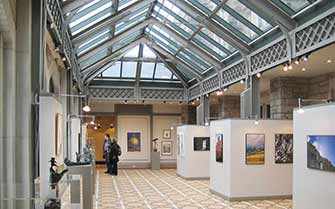 Until Sunday, November 9, at 4626 Sherbrooke W, The Gallery at Victoria Hall is pleased to present an exhibition showcasing the artworks of artists Tyler Rozicki and Jessica Jane Roszler.
GALLERY OPENING HOURS
Monday to Friday: 10 am to 9 pm
Saturday: 9 am to 5 pm
Sunday: Closed
More information at 514 989-5226 or victoriahall@westmount.org
Image: © Andrew Burlone
Contactivity Centre activities
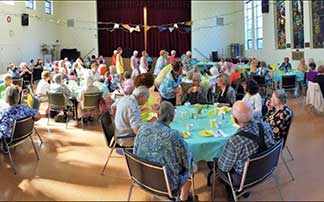 Contactivity Centre, 310 Victoria, Suite 102, is a non-profit community centre offering a welcoming, caring, and safe space for autonomous seniors 60+, fostering a sense of community and social engagement. The centre hosts various courses and interest groups that encompass the mind, body and soul.
Online courses and activities are now available. For more information, visit contactivitycentre.org
Image: courtesy of Contactivity Centre
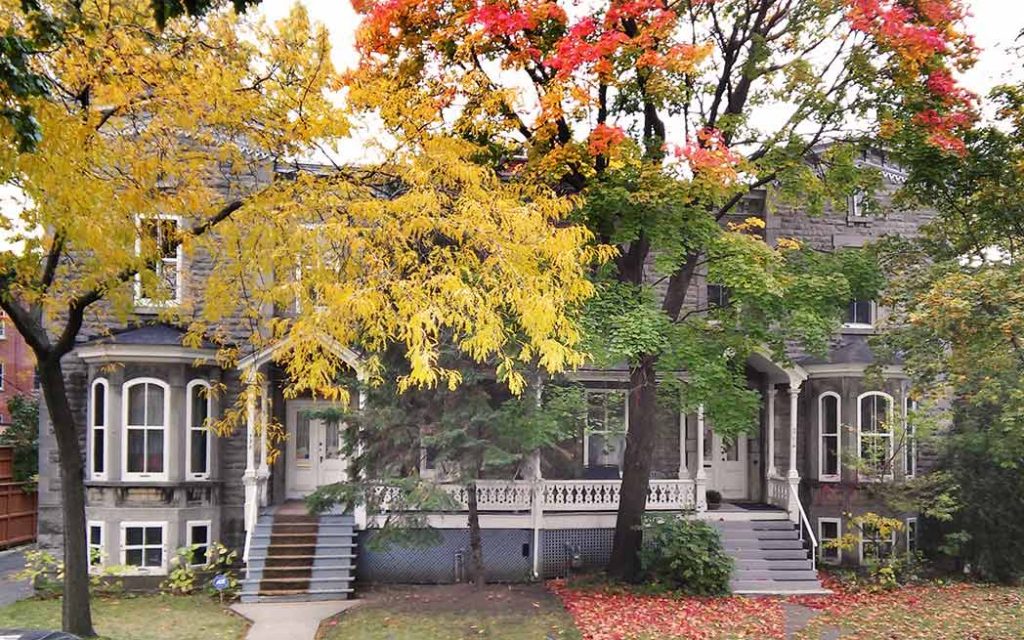
Centre Greene activities
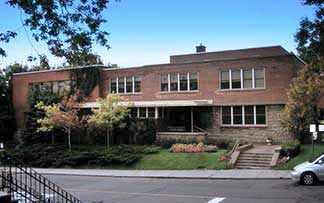 Centre Greene, 1090 Greene, is host to a wide variety of activities for young and old, including a Caregiver’s Tea, Themed Activity Nights, Drop-in Daycare, After-School Program, Kids’ Kitchen, Tumbling Tots Playgroup, Seniors’ Lunches, and more!
For more information, call 514 931-6202 or visit centregreene.org
Image: courtesy of Centre Greene
 City of Westmount events
The City of Westmount offers a variety of events and activities for adults and children of all ages. Please consult the city’s events calendar for more information.
Events at Westmount Public Library
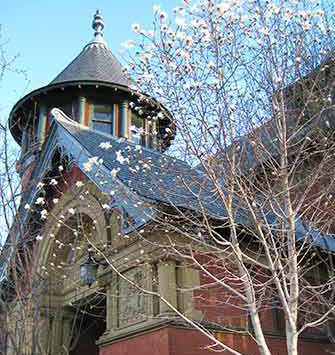
4574 Sherbrooke W, Westmount
Library staff are pleased to welcome all visitors back to a safe environment in which to browse and check out items. Staff will also be there to make/renew memberships and handle your requests and questions.
More information at westlibcat.org
Image: © Andrew Burlone
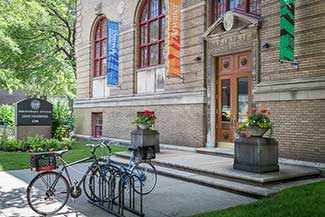
And over at the Atwater Library…
1200 Atwater, Westmount
Information at 514 935-7344
The Library is open every day except Sunday. See the Library’s Full schedule.
The staff are always pleased to provide information and help by phone and email.
eBooks and digital audiobooks: The Library has increased its selection of digital books for your reading and listening pleasure. For information and help: 514 935-7344 or ebooks@atwaterlibrary.ca
Image: Frédéric Ryan – Instagram (@feddomtl
SERVICES BY PHONE, EMAIL AND INTERNET
Atwater Library staff are continuing to provide help and information by phone and email at 514 935-7344 (weekdays from 9 am to 5 pm) and at info@atwaterlibrary.ca
Follow the Library on Facebook
Questions about your computer or device? Email connect@atwaterlibrary.ca or phone 514 935-7344 daytime during the week. With funding from the Government of Canada.
CONNECT PROJECT
Thursday, October 23, from 3 pm to 5 pm
In-Person Only: Drop-In Tech Help – Got a question about using your device? The Library’s team of tech-savvy staff and volunteers will be in the Adair Auditorium (accessible by elevator) to provide you with free assistance through demonstrations and resources aimed at enhancing your digital literacy skills. Bring your device or use one of the Library’s tablets or laptops. First-come, first-served, no advance registration. Free, thanks to funding from the Grace Dart Foundation. More information at connect@atwaterlibrary.ca
Friday, October 24, from 10 am to noon
Via Zoom Only: Weekly Internet Peer Café – Join Mathieu Landretti for a discussion about using computers, tablets and smartphones. Stay for 20 minutes or the whole two hours to share, learn, and socialize. Free, thanks to funding from the Grace Dart Foundation. To register and obtain the Zoom link, please visit this page, complete the form, and submit it.
YOUTUBE VIDEO SERIES
During the Spring of 2020, the Connect Project team created a series of YouTube videos to help people stay connected, informed, and inspired through digital technology.
Episode 1 – Introduction: Be in touch, informed and inspired through digital technology.
Episode 2 – eBooks and audiobooks: Get started enjoying books on your device — phone, tablet or computer, with step-by-step instructions for borrowing eBooks and audiobooks from the Atwater Library.
How to begin enjoying a wealth of free recorded radio programs and other online audio material. Included is info about popular and recommended podcasts.
Episode 4: Filing Your Income Tax Return Online
Episode 5: Zoom Video Conferencing
Step-by-step instructions for participating in online meetings and events using Zoom. With a “cheat sheet” guide to buttons and functions.
Episode 6: Digital Discussions Lecture Series
A brief intro with links to presenters’ slideshows and a guide to YouTube buttons and functions.
Episode 7: Online Ordering for Delivery
A guide with helpful information and local examples.
FINANCIAL LITERACY PROGRAM
Wednesday, October 22, from 2 pm to 3:30 pm
Via Zoom Only: Investing Basics – Financial educator Lynn Bennett discusses the basics of investing: risk and return, asset allocation and diversification. Q&A. To register and get the Zoom link: lverge@atwaterlibrary.ca
YOUTUBE VIDEO SERIES
Nutrition on a Budget
Video – Eat Well on a Budget (50 minutes) with Jaimie Yue, Registered Dietitian. You can sign up for her newsletter and receive a free eBook with recipes.
Personal Finances in Times of Crisis
Video (20 minutes) with Michel Gariépy, analyst with Autorité des marchés financiers (AMF). He gives tips for saving money and shares the AMF Budget Sheet and Balance Sheet forms.
RRIF (Registered Retirement Income Fund)
Video (29 minutes) with Certified Financial Planner Lynn Bennett.
Budgeting Basics 2: Protect Your Money and Online Resources
Video (35 minutes) with computer instructor Liz Perrin. She discusses online consumer resources and provides tips for protecting against scams and fraud.
Budgeting Basics
Video (33 minutes) with computer instructor Liz Perrin on the importance of a budget, even in difficult times, and the three steps to creating one: planning, making and reviewing. Examples of free online budgeting tools are included.
Fraud prevention
COVID-19: Watch Out For Financial Fraud!
Video (25 minutes) with Michel Gariépy, analyst with Autorité des marchés financiers (AMF).
Info on Wills
Video (25 minutes) with Ann Soden, Ad. E., Elder Law Lawyer and mediator, and Anna Kamateros, notary, in conversation with Financial Literacy Program Coordinator, Natalie Domingue. Includes information on how people can write their own “holograph will” while physically isolating, with pointers for minimizing the risk of challenges after death.
Click to access Éducaloi’s detailed guide on Wills
The Atwater Library Financial Literacy Program is funded by Canadian Heritage.
LUNCHTIME SERIES
Thursday, October 23, from 12:30 pm to 1:30 pm
In-Person and Via Zoom: Ken McGoogan – Author Ken McGoogan gives a slideshow presentation on How History Can Light Up the Future, drawing on his work-in-progress, The Ghosts of Montreal, and his recent book, Shadows of Tyranny. For in-person attendance at the Library’s Adair Auditorium, there’s no registration process – it’s first-come, first seated. To register and get the Zoom link, click here, fill out the form, and submit it.
Thursday, October 30, from 12:30 pm to 1:30 pm
Via Zoom Only: WWII Service by Canada’s Business Leaders – Author Allan Levine discusses his book The Dollar a Year Men: How the Best Business Brains in Canada Helped to Win the Second World War with writer Lisa Fitterman. To register and get the Zoom link, click here, fill out the form, and submit it.
DROP-IN CV WORKSHOP
Thursday, October 23, from 3 pm to 5 pm
In-Person Only: Hands-on guidance to create a professional CV from scratch using Google Docs, Microsoft Word or Canada’s Resume Builder. Also, tips and resources for cover letters. In the Computer Classroom (Room 2 on the top floor). Part of the Atwater Library CELI Skills for Success Project. For more information: celi@atwaterlibrary.ca
 Recent articles